


Funny Camera - Photo Editor
4.6223.00 Reviews
App Specs
- Version
- 6.0.1
- Updated On
- License
- Free
- Downloads
- 5,000,000+
- Developer
- Photo & Video Editors - Instant Solution
- Categories
- Photography
- Platform
- Android
Screenshots



 Analysis by AppCompare
Ever stumbled upon an app that just makes you go "Wow, this is actually fun!"? Well, Funny Camera - Photo Editor is exactly that kind of app. It’s like having a mini carnival right in your pocket, minus the sticky cotton candy. If you’re a fan of adding quirky effects to your photos, then buckle up, because this ride is packed with features that’ll keep you entertained for hours.
First Impressions
When you first open Funny Camera - Photo Editor, you're greeted with a colorful interface that's as inviting as a summer day. The layout is intuitive, which means you won't need a manual to navigate through its features. Everything feels like it’s just a tap away, which is refreshing in a world full of overly complicated apps.
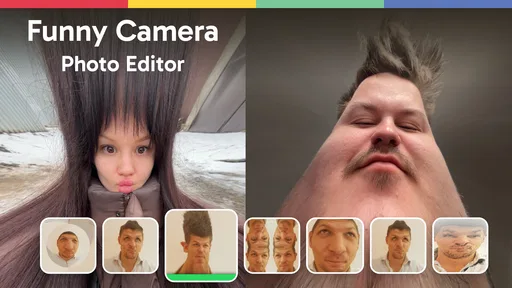
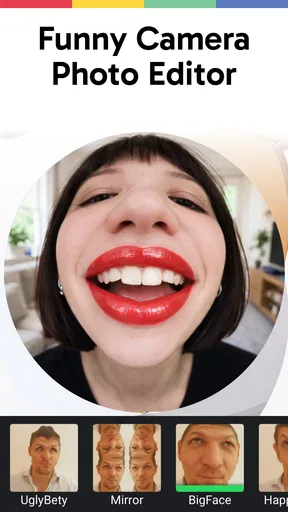
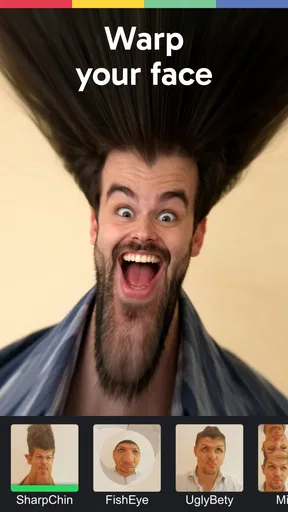
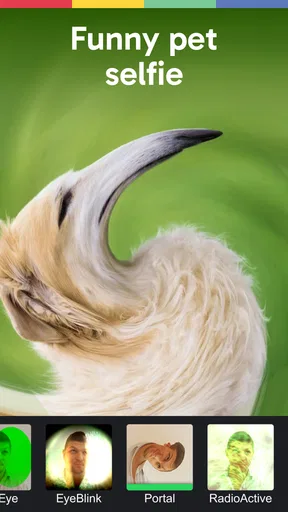
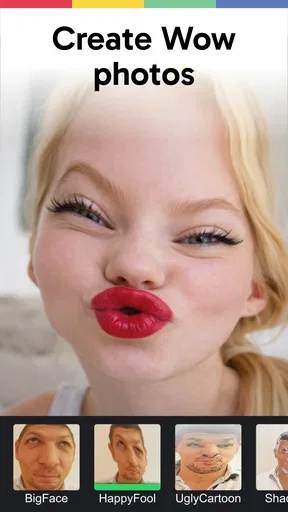
One of the first things you'll notice is the wide array of filters and effects. Seriously, it’s like someone took a rainbow and turned it into an app. Whether you want to make your selfie pop with vibrant colors or add a vintage feel to your landscape shots, there's something here for everyone.
Features That Stand Out
Alright, let’s dive into what makes this app a must-have for any photo enthusiast. First up, the real-time effects. You can see what each effect looks like before you even snap the picture. This is a game-changer because it saves you from the dreaded "filter regret."
Then there’s the sticker collection. It’s vast, and I mean vast. From cute animal faces to goofy hats and spectacles, the stickers are perfect for spicing up your photos. I found myself spending way more time than I’d like to admit just playing around with them. There’s something oddly satisfying about turning your friend into a pirate with just a few taps.
Oh, and let's not forget the meme generator. Yes, you heard that right. You can create your own memes directly within the app. This is perfect for those moments when inspiration strikes, and you need to capture the hilarity of the moment right away.
Usability and Performance
On the usability front, Funny Camera - Photo Editor is a breeze. The app runs smoothly, and I didn’t experience any lag, which is a blessing compared to some other apps that feel like they’re powered by a hamster on a wheel.
Worth Reading Before You Choose

Flipboard Shows What News Apps Must Do Beyond the Feed

Switching to Android Auto Means Rethinking Your Driving Routine

Google Calendar Makes a Crowded Week Easier to Manage

Ludo King Makes the Most of the Minutes Between Plans

Baby Panda World Brings Quick Play to Modern Phones, but Its Game Library Feels Busy

ESPN’s Live Game View Makes Following Close Games Easier
Performance-wise, it’s optimized well for both Android and iOS. I tested it on a mid-range smartphone, and everything worked without a hitch. The app doesn’t hog too much memory, so you don’t have to worry about it slowing down your device.
Why You Should Try It
If you love sharing your photos on social media, this app is your new best friend. The sheer variety of effects and tools ensures that your photos will stand out in any feed. Plus, it’s just plain fun. In a world that can sometimes feel a bit too serious, having an app that adds a dash of joy to your day is a wonderful thing.
For those who are a bit more privacy-conscious, the app doesn’t require any invasive permissions. You can snap away without worrying about your data being sent off to who-knows-where. Just pure, unadulterated photo fun.
Final Thoughts
At the end of the day, Funny Camera - Photo Editor is a delightful addition to your app collection. Whether you’re a serious photographer looking to add some whimsy to your shots or just someone who enjoys a good laugh, this app delivers on all fronts.
So, next time you’re looking for something to spice up your photos, give it a try. Who knows? You might just find yourself laughing at your own creations, and honestly, isn’t that what it’s all about?
Pros
- User-friendly interface with intuitive controls.
- Wide variety of filters and effects available.
- Real-time editing for quick adjustments.
- High-quality output for social media sharing.
- Supports both photo and video editing.
Cons
- Contains frequent ads that interrupt usage.
- Limited free features; many are premium.
- Occasional app crashes and bugs.
- Large app size may affect device storage.
- Requires a stable internet connection.
FAQs for Funny Camera - Photo Editor
What features does Funny Camera - Photo Editor offer?
Funny Camera - Photo Editor provides a wide array of features, including filters, stickers, and various editing tools to enhance your photos. You can also create memes, add text, and apply effects like color splash and blur. The app is designed to make photo editing fun and accessible for everyone.
Is Funny Camera - Photo Editor free to use?
Yes, Funny Camera - Photo Editor is free to download and use. However, it offers in-app purchases for additional features and content. These may include premium filters, sticker packs, and ad-free experiences. It's recommended to review the in-app purchase options if you plan to unlock advanced features.
Can I share my edited photos directly from the app?
Absolutely! Funny Camera - Photo Editor allows you to share your creations directly from the app to various social media platforms such as Instagram, Facebook, and Twitter. The app integrates with your phone’s sharing options to make it easy to show off your edited photos to friends and family.
Does Funny Camera - Photo Editor require an internet connection?
While many features of Funny Camera - Photo Editor can be used offline, some elements, such as downloading new content or sharing your photos online, will require an internet connection. It’s best to have a stable connection to fully utilize all the app’s capabilities.
Is Funny Camera - Photo Editor available for both Android and iOS?
Yes, Funny Camera - Photo Editor is available for both Android and iOS devices. You can download it from the Google Play Store for Android or the Apple App Store for iOS. Ensure your device meets the app’s compatibility requirements for a smooth experience.


